NanoClip for Mac + iPhone
Your iPhone’s perfect Mac companion.
That link from this morning. The screenshot you just copied. Your most-used reply. Find it on your Mac and paste it in seconds.
macOS 14 or later. Open the downloaded DMG and drag NanoClip into Applications.
Or get it on the Mac App StoreOn another device? Open getnano.dev/clip/mac on your Mac.
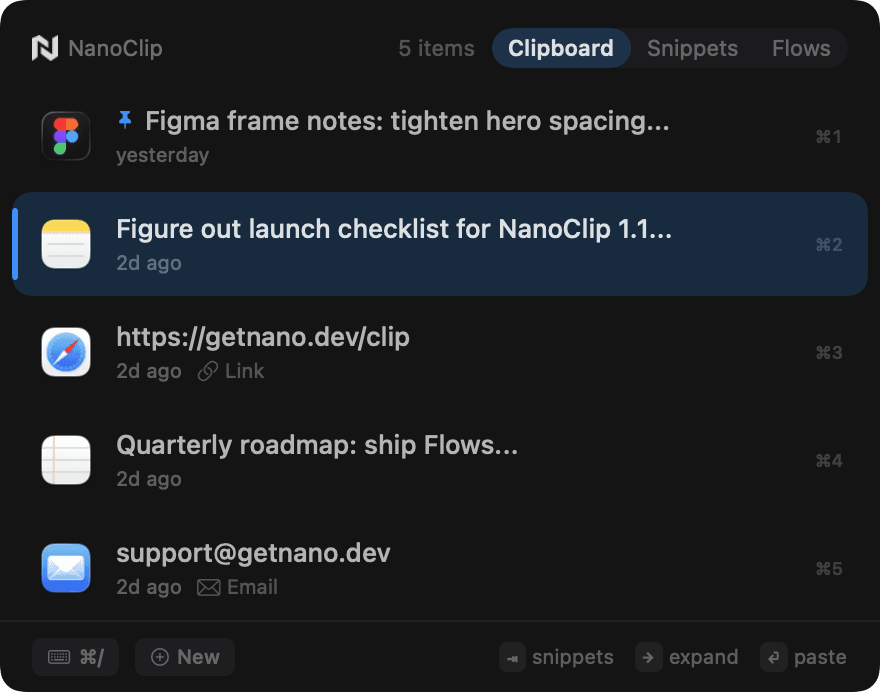
Find what you copied
Search your Mac clipboard history for text, links, and images. Unlimited history is free.
Save the typing
Keep three reusable snippets for free. Mac Pro adds unlimited snippets and Flows to transform content without breaking your rhythm.
Bring it to your iPhone
Mac Pro adds iCloud sync. Open recent Mac clips and saved snippets in the free iPhone and iPad app, then paste them from the NanoClip keyboard.
Start free. Add Pro on your Mac.
The iPhone and iPad app is free. Mac clipboard history and three Mac snippets are free too. Mac Pro is a one-time purchase: unlimited snippets, Flows, iCloud sync, and more.
Direct Mac license: $9.99. No subscription.
Mac App Store pricing may vary by region.
Already have NanoClip on Mac?
- Update NanoClip on your Mac.
- With Mac Pro, turn on iCloud Sync in NanoClip Settings.
- Use the same Apple Account on both devices, then open NanoClip on your iPhone or iPad.
You can also create and use snippets on iPhone and iPad without a Mac.