01
Speech to text anywhere
Dictate into the app you are already using instead of moving text between a recorder and your work.
Speech to text on Mac
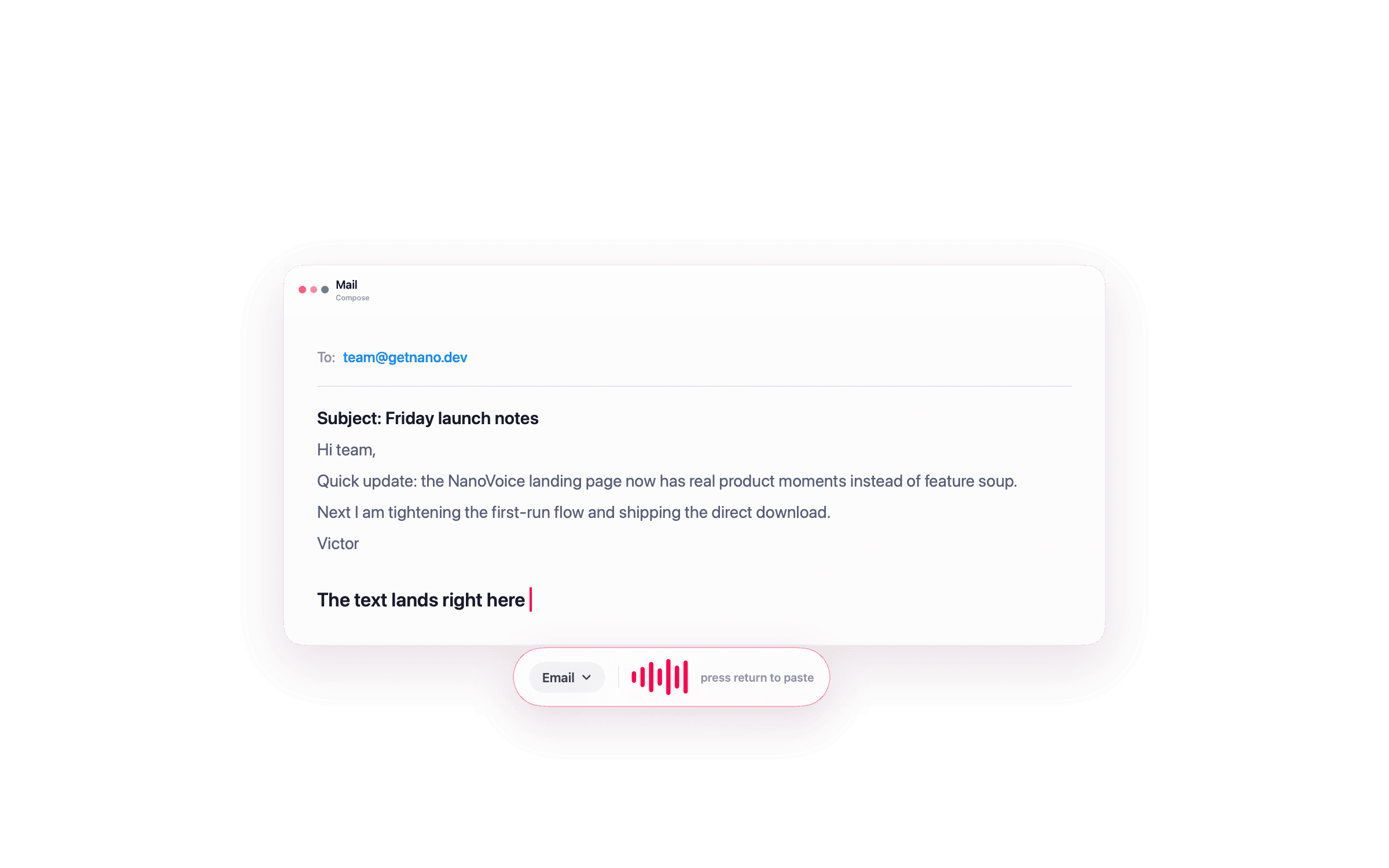
Start dictation, speak naturally, then paste the transcript into the focused Mac app without moving through a separate writing workspace.
Free with Apple Speech. Lifetime is $4.99 once and adds local Whisper, Meeting Mode, templates, and unlimited history.
What the workflow includes
Dictate into the app you are already using instead of moving text between a recorder and your work.
NanoVoice turns speech into text and commits it where you were typing.
Default shortcuts cover dictation, recordings history, and Meeting Mode.
Speak a rough thought and optionally reshape it into a cleaner message, reply, or note.
The free tier uses Apple Speech. Lifetime can use local Whisper through WhisperKit.
Use templates with on-device, Ollama, or BYOK providers when you want polished text instead of a raw transcript.
Choosing a workflow
Apple's built-in Dictation is useful for occasional text entry. NanoVoice is for people who dictate throughout the day and want history, templates, meeting capture, and a repeatable keyboard flow.
For privacy, read the local Whisper guide. For price, see the no-subscription guide.
Questions about this workflow
macOS includes built-in Dictation, and NanoVoice adds a menu bar workflow: press a shortcut, speak, and paste text into the current app.
No. NanoVoice does not proxy speech transcription. Apple Speech and local Whisper run on your Mac; optional cloud formatting uses your own provider key when you choose it.
Yes. Lifetime templates can turn a raw transcript into an email, message, notes, summaries, or custom formats.
Ready when you speak
Start free with Apple Speech. Press ⌃⌘W, speak naturally, and see whether NanoVoice belongs in your workflow. Lifetime adds local models, private meeting notes, and more ways to shape what you said.
Free with Apple Speech. Lifetime is $4.99 once and adds local Whisper, Meeting Mode, templates, and unlimited history.
Developer ID signed · Not on the Mac App Store
Have an idea for NanoVoice? Request or vote on features.
Keep comparing
Practical guides for privacy, price, meetings, and choosing the right Mac dictation workflow.