
Keep recent clipboard history
Recover the small copies that would otherwise disappear after the next Command-C.
Free-start clipboard manager
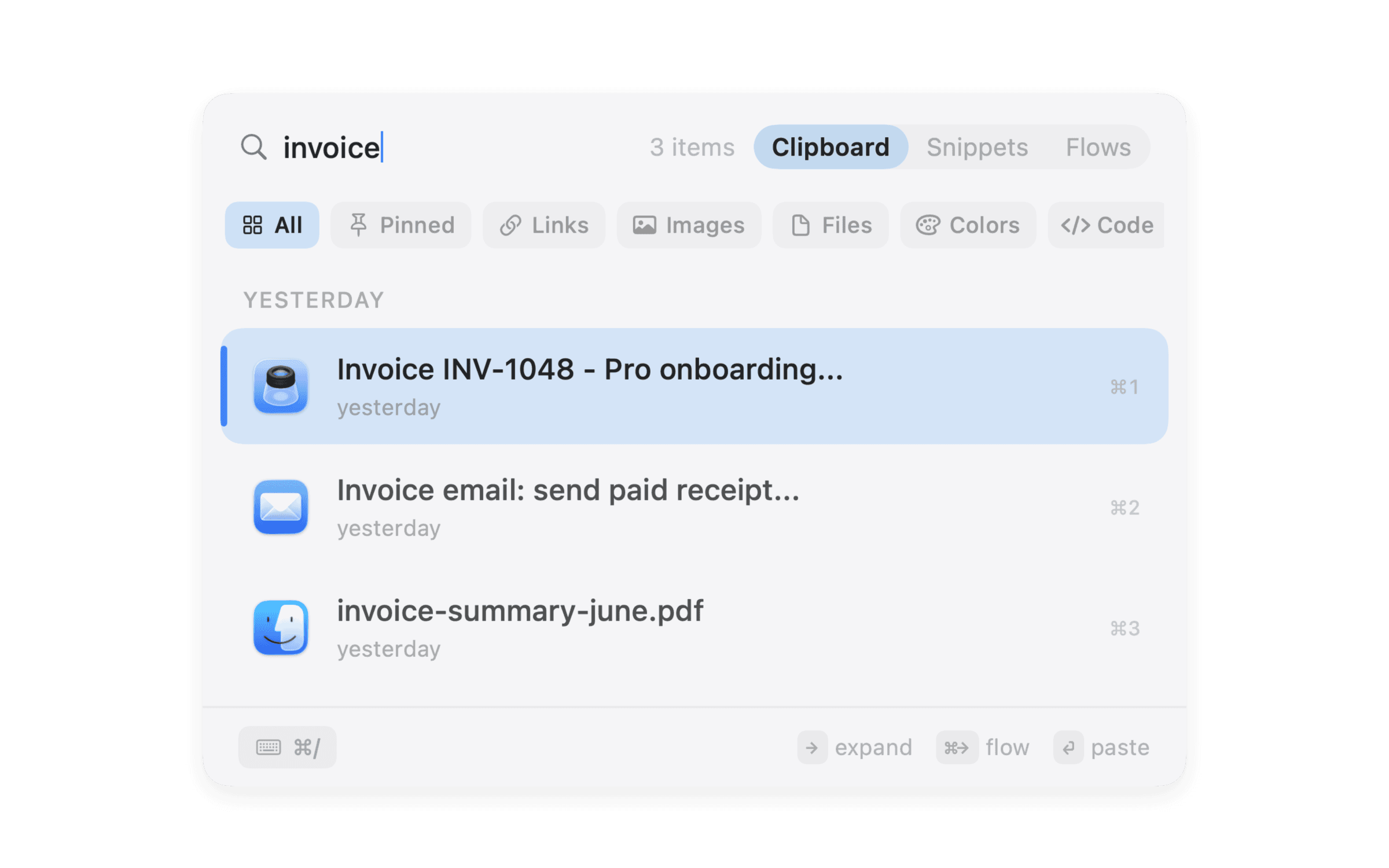
Start with the essentials
Recover the small copies that would otherwise disappear after the next Command-C.
Find useful text and links without returning to the original app or browser tab.
Use the same keyboard-first interface before deciding whether the larger workflow fits.
Pro expands history, snippets, sync, paste queue, appearance, and custom Flows.
Free versus paid
If all you need is a small, free history list, Maccy is an excellent open-source option. NanoClip is for people who want to start there and grow into snippets, paste queue, sync, and Flows.
Read the broader clipboard manager guide or the direct NanoClip versus Maccy comparison.
Practical questions
NanoClip is free to download and use within the free-tier limits. Pro is an optional one-time upgrade.
Maccy is a strong open-source choice if you only need minimal clipboard history.
When unlimited history, reusable snippets, private iCloud sync, paste queue, and custom Flows become part of daily work.
Ready when you copy
Start free. Keep the latest five copies close, create a few snippets, and see whether NanoClip belongs in your workflow.
Have an idea for NanoClip? Request or vote on features.
Explore NanoClip
Practical guides for clipboard history, sequential paste, reusable text, device sync, pricing, and choosing the right Mac workflow.